Auto-Tracking Fan Simulator
A browser simulator that tests a wall-mounted fan that follows people with a camera, from vision and motor control to structural loads.
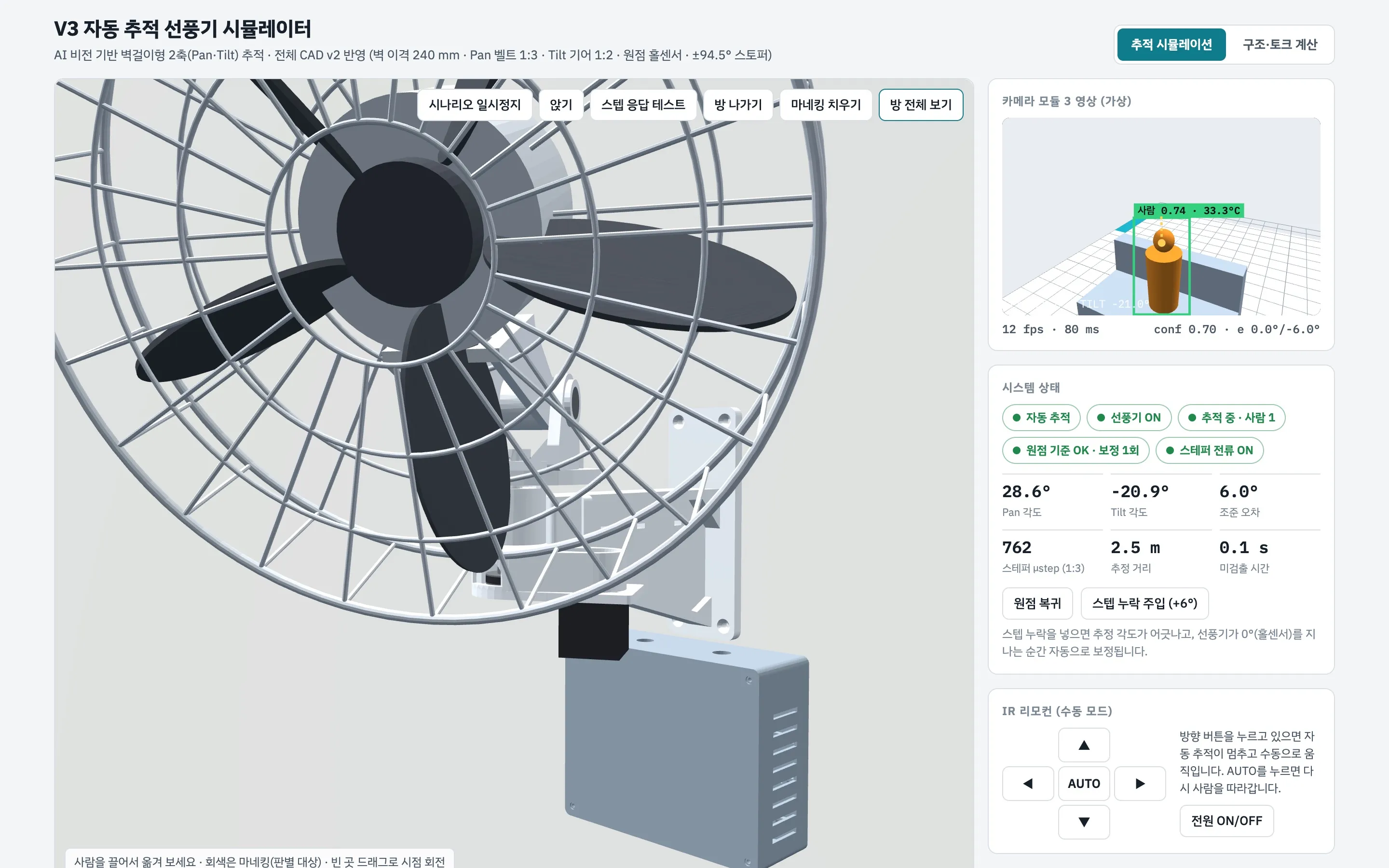
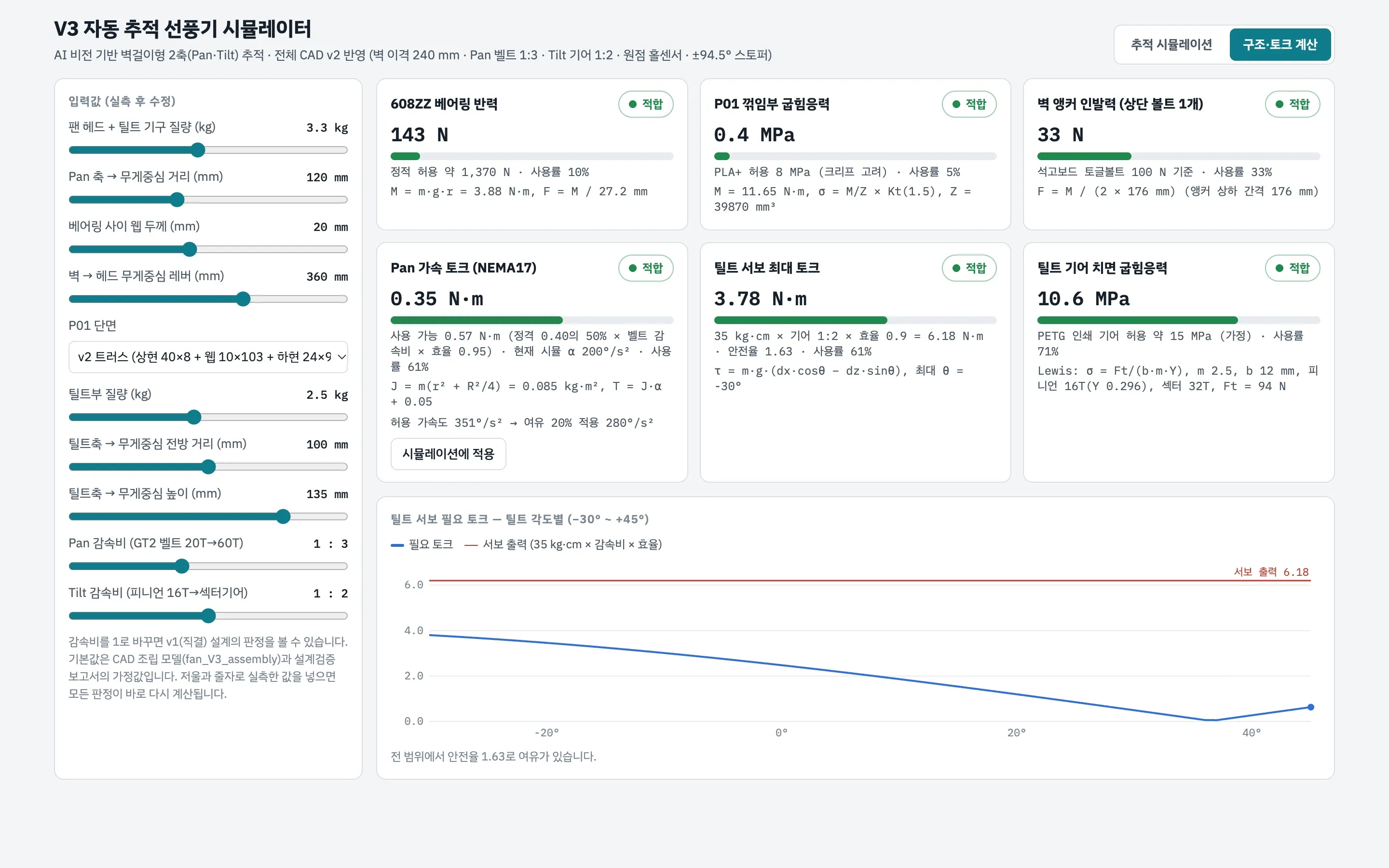
A browser simulator that tests a wall-mounted fan that follows people with a camera, from vision and motor control to structural loads.
A design entry for a mechanical high school competition: a wall-mounted fan that turns toward the person in the room and switches itself off when they leave. A camera finds people, a stepper motor pans the head and a servo tilts it.
Before anything was 3D-printed, the design had to be checked. Would the motor keep up with someone walking across the room? Would the tilt servo hold the head when it points down? Would the wall anchors hold?
A simulator that runs in the browser, built around the real CAD assembly.
The simulator found that the first design would not work as drawn. The directly driven pan motor could only accelerate the head at about 101°/s², and the tilt servo was short of torque when the fan pointed down. The second design added a 1:3 belt reduction for pan (351°/s² available) and a 1:2 gear for tilt (safety factor 1.63), plus a home sensor and mechanical stops.
Thinking about building something similar?
Start a Conversation →